
Garage Door Opener Not Working? 10 Common Problems & Fixes
It is stressful to pull into your driveway, press the garage door remote, and nothing happens. Many homeowners and businesses in League City deal with this situation at least once, and it always happens at the worst time. A garage door opener that stops responding creates both inconvenience and worry, especially if the door is stuck while the house is empty or late at night. The good news is that most opener issues have simple explanations, and many fixes take only a few minutes.
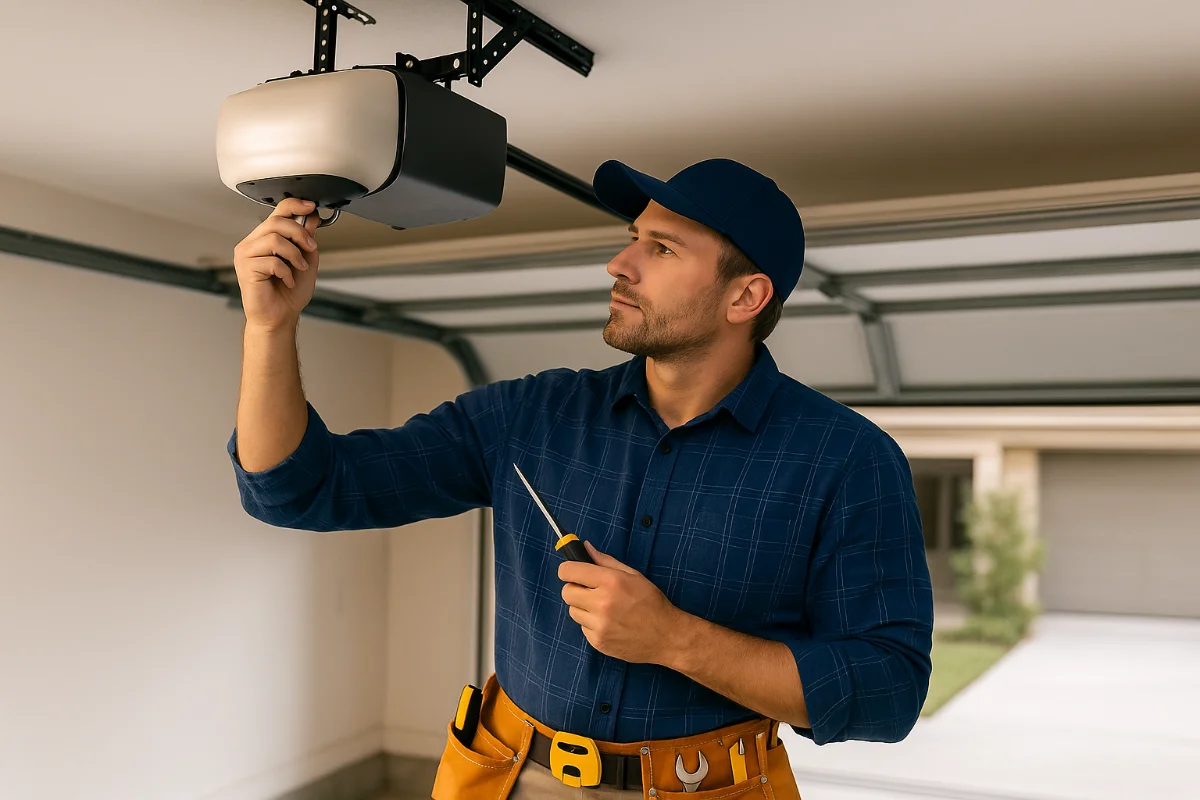
Garage door opener problems are more common than many people realize. In most cases, the system fails because of something small, such as weak batteries, a blocked sensor, or interference. Other issues may require more attention, like misaligned limits or electronic faults inside the opener. In this guide, you will learn the ten most frequent reasons a garage door opener stops working, along with practical steps you can try before calling garage door services in League City.
At Forge, we have diagnosed hundreds of opener issues across League City, and the same patterns show up over and over. According to Family Handyman, garage door opener issues are often caused by some common issues like sensor misalignment, power interruptions, or remote signal problems.
This guide addresses all these issues and some other causes that lead to opener problems. It breaks everything down so you can understand what is happening and what you can do next. If you need immediate help, call Forge for same-day service anywhere in League City.

Problem #1 – Dead or Weak Remote Batteries
Weak or drained batteries are the most common reason a garage door opener stops responding. The remote may still work now and then, but it will struggle to send a strong signal. You may notice these signs:
- The remote only works when you stand very close to the garage door, often within 10 feet
- The opener responds sometimes but not always
- The LED on the remote does not light up when you press the button
- You have not changed the batteries in more than two years
Many homeowners assume the opener is failing, when the real issue is a simple battery replacement.
The Solution
- Check what type of battery your remote uses. Many take CR2032 coin-cell batteries, while others use a 9V battery.
- Open the battery compartment. This is usually on the back of the remote or under a sliding cover.
- Replace the old batteries with new ones. Do not mix old and new batteries.
- Test the remote from different distances to confirm the signal is strong.
Problem #2 – Remote Is Out of Range or Signal Is Blocked
A typical garage door opener remote works from about 50 to 100 feet away. If the signal cannot travel that far, the opener may not respond until you get very close to the door. This issue is common and usually linked to the path between the remote and the opener.
Walls, cars, and even small objects can weaken the signal. Sometimes the opener works fine one day and struggles the next, which can be confusing when nothing has changed on the door itself.
Common Signal Blockers
Physical obstructions:
- Large metal objects between the remote and the opener
- Thick walls blocking the signal
- Trying to open the door while your car is still too far from the garage
- Dust, dirt, or spider webs on the antenna
Antenna problems:
- Damaged or cut antenna wire
- Antenna not hanging straight down
- Antenna wire touching metal parts on the opener, which weakens the signal
These issues are especially common in older openers or in garages with metal shelves, tool cabinets, or heavy equipment stored near the opener.
The Solution
Try these steps to diagnose the issue:
- Test the remote from different distances. Start around 20 feet away, then move closer.
- Try using the wall button inside the garage. If it works normally, the opener motor is fine.
- Look at the antenna on the motor unit. It should point straight down.
- Clear dust, dirt, or spider webs from the antenna surface.
- Make sure the antenna is not bent or wrapped around anything.
- Look closely for cuts or frayed sections in the antenna wire.
If the antenna wire is damaged or if the range is extremely short, a technician may need to repair or replace the receiver.
When to call a pro:
- The antenna wire needs full replacement
- The remote only works within a very short distance
- You suspect the receiver board is failing
League City note: Homes closer to the coast often deal with salt-air corrosion. It can build up on the antenna connection points and weaken the signal, so it’s worth checking for green or powdery corrosion.
Problem #3 – Garage Door Opener Not Working Because Lock Mode Is Engaged
Most modern garage door openers include a feature called Lock Mode. It’s designed as a security option that turns off all remote controls. When Lock Mode is on, you can still close the door using the wall button inside the garage, but remotes will stop working completely.
Many homeowners activate this mode without realizing it. A quick tap on the wall button or a curious kid pressing buttons can switch it on. It’s one of the simplest causes behind a garage door opener not working, but it’s also one of the easiest to miss.
Signs Lock Mode Is Activated
- The wall control panel has a solid light that you didn’t see before
- The lock button or padlock icon is glowing
- The remote suddenly stopped working even though the batteries are fine
- All remotes fail at the same time
If the wall button still closes the door when held down, but none of the remotes work, Lock Mode is one of the first things you should check.
The Solution
You can turn off Lock Mode in less than 30 seconds. Here’s how:
- Go to the wall-mounted control panel inside your garage
- Look for a button labeled LOCK, VACATION, or a small padlock icon
- Press and hold that button for about 2–3 seconds
- When the indicator light turns off, Lock Mode is disabled
- Test your remote again
Brand specifics:
- LiftMaster/Chamberlain: Press and hold the LOCK button until the light goes off
- Genie: Hold the lock button for about 3 seconds
- Craftsman: Works the same way as LiftMaster
Prevention tip: Explain the lock button to family members so no one presses it by accident. Kids often hit that button thinking it locks the garage door physically.
Problem #4 – Remote Needs Reprogramming
Do you know why remotes lose programming?
A garage door remote can stop communicating with the opener even if the batteries and buttons are fine. This can happen for several reasons:
- A power outage or power surge
- The remote was dropped or damaged
- The opener’s memory reset itself
- An older opener reached its memory limit
- A temporary glitch in the circuit board
- You replaced the opener’s backup battery
When a remote loses its stored code, the opener can no longer recognize it. The wall button may still work normally, but the remote will not respond at all.
Signs You Need to Reprogram the Remote
- The remote worked yesterday but stopped without warning
- Only the remote fails, but the wall button and keypad work
- You recently had a power outage
- You replaced the opener’s battery backup
- You installed a new remote or car HomeLink system
- You changed the opener’s logic board or wiring
If you have more than one remote and all of them fail at the same time, reprogramming is often the first step to try.
The Solution (Universal Programming Steps)
Below are the most common reprogramming steps for popular opener brands.
For LiftMaster / Chamberlain / Craftsman (yellow, purple, red, orange “LEARN” button)
- Locate the LEARN button on the motor unit
- Press and release the LEARN button once (LED will light)
- Within 30 seconds, press the button on the remote you want to program
- Hold it until you hear a click or see the opener lights flash
- Test the remote
For Older Dip-Switch Openers
- Open the remote’s battery cover
- Open the panel on the opener motor unit
- Match the dip-switch pattern exactly (up/down positions)
- Close both covers and test the remote
Dip-switch systems are less common now, but some homes still use them.
If you have several remotes or a wireless keypad, program them one at a time. Newer openers can store 40+ remotes, while older units may only store 4–6. If the memory is full, you may need to clear all codes and reprogram everything.
Reprogramming is usually simple, but when the opener’s memory or board is failing, it can turn into a deeper diagnostic job. If reprogramming doesn’t work after several attempts or you want a HomeLink or keypad synced professionally, you should call a garage door expert. We at Forge provide skilled opener remote programming services.
Problem #5 – Electronic Interference Disrupting Signal
When your garage door opener stops responding or works only sometimes, the issue may not be the remote or batteries at all. Many homeowners in League City deal with signal interference, and it can make the opener act unpredictable. The opener and remote communicate through radio frequency, and anything that interrupts that signal can cause problems.
Common Interference Sources
Here are the most frequent sources we see:
Inside your garage
- LED light bulbs installed in the opener
- Fluorescent shop lights
- WiFi routers or smart home hubs placed too close
- Wireless security cameras
- Battery chargers
- Power tools with electric motors
- Solar inverters or backup power stations
LED bulbs are one of the biggest culprits. Some cheaper bulbs give off electrical noise that blocks the opener’s signal, making the remote work only when you get close to the door.
Outside your garage
- Radio towers
- High-voltage power lines
- Neighbor’s opener operating on a similar frequency
- Local interference from military activity near Ellington Field
- Electrical storms
These issues may reduce the remote’s range or cause the opener to respond inconsistently.
The Solution
Step 1: Test for LED Interference
- Remove the LED bulbs from the opener
- Try the remote again
- If it works now, the bulbs were the problem
- Replace them with opener-safe bulbs (Genie LEDB-M or similar)
These bulbs are designed to keep RF noise low so they won’t interfere with the signal.
Step 2: Check Other Household Devices
If bulbs aren’t the issue, try isolating other possible sources:
- Turn off breakers one at a time (except the opener’s breaker)
- Test the remote after each breaker
- When the remote starts working again, you’ve found the circuit with the device causing interference
- Identify the device on that circuit
- Move, replace, or unplug the device if possible
This helps narrow down what’s blocking the signal.
Step 3: Longer-Term Fixes
If interference keeps returning:
- Move routers or smart home hubs farther from the opener
- Replace noisy LED bulbs
- Install a radio receiver kit that uses a different frequency
- Upgrade to a newer opener that handles interference better
A new radio receiver is often enough to solve long-standing issues without replacing the entire opener.
League City Specific Issue
If you live near Ellington Field or close to NASA Clear Lake, you may notice remote issues from time to time. These areas see regular military and aerospace communication activity, which can occasionally interrupt RF signals.
If this happens often, a dual-frequency receiver or a newer opener can help keep the signal strong.
Problem #6 – Safety Sensors Misaligned or Blocked
Every garage door opener made after 1993 includes a pair of photo-eye sensors. They sit a few inches above the floor on both sides of the door. One sends an infrared beam across the bottom of the door, and the other receives it.
If anything interrupts that beam, the door won’t close. This safety feature prevents the door from closing on people, pets, or objects, but it also causes many homeowners to think their opener is broken when it’s simply reacting to a sensor issue.
Signs of Sensor Issues
- The garage door won’t close unless you hold the wall button
- The door closes halfway, then reverses
- Sensor lights are off or blinking
- One sensor shows a different colored light than normal
- You recently bumped the sensors while cleaning or moving items
- Kids or pets accidentally hit the sensors while playing
The Solution
Step 1: Look for Obstructions
- Remove any items near the sensors
- Clean the sensor lenses with a soft cloth
- Clear away dust, dirt, or spider webs
- Check for condensation or moisture buildup
Step 2: Adjust the Alignment
- Check if both sensors are pointing directly at each other
- One sensor usually has a solid green light when aligned
- The other may show amber or green, depending on the brand
- Gently move the sensor until the lights turn solid
- Tighten the screws so they don’t shift again
Step 3: Inspect the Wiring
- Follow the wires from each sensor to the opener
- Look for cuts, loose wires, or corrosion
- Check wire terminals on the opener unit
- Push any loose wires back into place and tighten the screws
Quick Test
Try lowering the door and wave your hand across the sensor beam while it’s closing.
The door should reverse instantly.
If not, the sensors still aren’t working the way they should.
League City Tip
Spider webs are the top cause of blocked sensors in our area. The humidity encourages quick web buildup, so check your sensors every month, especially in warmer seasons.
Problem #7 – Limit Settings Are Incorrect
Limit settings tell your garage door opener how far the door should travel when opening and closing. These settings keep the door operating smoothly and safely, so keeping them accurate is important. When these settings slip out of position, the opener gets confused about where the door should stop. This leads to stopping too early, reversing unexpectedly, or the motor running longer than it should.
These settings can shift over time from vibration, temperature changes, or even a small bump to the opener.
Signs Your Limits Need Adjustment
You may need to adjust your limit settings if:
- The door stops before reaching the ground
- The door closes, hits the floor, then reverses
- The door stops before fully opening
- The motor keeps running after the door reaches the floor
- The opener light blinks as if something blocked the door
These issues often look like motor or sensor problems, but they’re usually just limit settings.
The Solution
Adjusting limits is simple, but every opener is different. Always start with small adjustments and test after each step.
Most openers use two adjustment screws or dials, usually marked UP and DOWN, or with directional arrows, usually on the side or back of the opener’s motor unit. Your manual will confirm which is which. Always make adjustments slowly. A quarter-turn at a time is enough.
Some newer models use electronic limits instead of dials. These units learn the travel distance automatically. Your manual will give exact steps.
Important Safety Note
If the door reverses or slams into the ground after adjustments, stop right away. This can strain the motor, damage the panels, or even snap a spring.
When limits stop responding at all, the issue may be with the circuit board, worn gears, or a weak motor.
In those cases, deeper troubleshooting is needed. A technician can reset the system correctly and make sure the opener isn’t fighting a larger mechanical issue. Contact your trusted Forge Garage Door Services in League City.
Problem #8 – Circuit Board or Logic Board Malfunction
Every garage door opener relies on a circuit board (also called a logic board) to control all of its functions. It receives signals from the remote, reads sensor data, controls the motor, and manages the safety systems.
When the board develops a problem, the opener may behave unpredictably—or stop working altogether.
This issue is more common in older openers, during storm season, or in garages with humidity fluctuations (very common in League City).
What Causes Circuit Board Failure?
Several things can damage or weaken a circuit board over time:
- Power surges or lightning strikes
Strong surges can burn out tiny components on the board. - Moisture or high humidity
Metal contacts can corrode in garages near the coast. - Heat exposure
Hot Texas summers push garages past 110°F, stressing electronics. - Age
Boards eventually fail after years of vibration and daily operation. - Rodents or pests
Chewing on wiring can short out connections.
Most boards last 10–15 years, though some last longer if well protected.
Signs of Circuit Board Issues
If your garage door opener is acting strangely, you may be dealing with a failing board. Look for:
- No response from remote and wall button
- Opener lights blinking a repeated pattern
- Clicking sounds coming from the opener but no movement
- Remote works only sometimes, with no pattern
- Random behavior: opening on its own, stopping halfway, or freezing
- Issues that started right after a storm or power outage
Error Code Indicators
Most modern openers use flashing lights to show specific problems.
Examples:
- 1 flash: Safety sensor issue
- 5 flashes: Motor overload
- 10 flashes: Circuit board malfunction
The exact meaning varies by model, so it helps to check your opener’s manual.
Take note of the blinking pattern before resetting anything.
Basic Troubleshooting Steps
Before assuming the worst, try these simple checks.
Step 1: Power Cycle the Opener
Sometimes a board glitch clears with a quick reset.
- Unplug the opener from the outlet
- Wait 60 seconds
- Plug it back in
- Test the remote and wall button
A full power cycle resets temporary faults and reloads the board’s memory.
Step 2: Inspect for Visible Damage
Open the light cover and look near the board.
Check for:
- Burn marks
- Melted components
- Corrosion around terminals
- Loose wires
- Burnt or “electrical” smell
If you notice any of these, the board is likely damaged.
Step 3: Check Wire Connections
Loose or damaged wires can mimic board failure.
- Look for wires that slipped out of terminals
- Gently tug each wire to ensure it’s seated properly
- Check sensor wires for cuts or chew marks
Sometimes, a loose terminal is all it takes to stop the opener from working.
League City Tip
Because we experience heavy rain, humidity, and frequent thunderstorms, surge protectors are very helpful. Installing one on your opener’s outlet protects the board and extends its lifespan.
Problem #9 – Physical Damage to Remote or Receiver
Sometimes the opener works fine, but the remote or receiver is damaged. This is one of the most overlooked reasons a garage door opener stops responding, especially in households where remotes get tossed into cup holders, dropped on concrete, or left in hot cars.
How Remotes Get Damaged
Garage door remotes are tougher than they look, but they aren’t built to survive every scenario. Common causes of damage include:
- Dropping the remote on the driveway or garage floor
- Water exposure from rain, spills, or car washes
- Leaving the remote in a hot vehicle (Texas heat can warp internal parts)
- Buttons wearing out from daily use
- Pets chewing or playing with the remote
- Corrosion from old leaking batteries
Receivers can also develop issues, though this is less common. Age, heat, pests, or a surge can weaken the receiver inside the opener’s circuit board.
Visible Signs of Remote Damage
If your garage door opener not working seems linked to the remote, look for:
- Cracked or broken casing
- Buttons that don’t “click” anymore
- Remote works only when squeezed or pressed hard
- Loose parts rattling inside the shell
- Rust or corrosion in the battery compartment
- Burnt smell or discoloration
- Remote works only from extremely close distance
These symptoms often point to internal failure.
The Solution
Try the Easy Fixes First:
- Replace batteries (even if they look fine)
- Reprogram the remote using the opener’s “Learn” button
- Clean the battery contacts with a cotton swab
If the remote still acts up, it’s likely physically damaged.
Replace the Remote:
You can replace your remote in three ways:
OEM Replacement
Buy the exact model made for your opener brand. Reliable and straightforward.
Universal Remote
Works with most major brands. Good when the original model is discontinued.
Smart Upgrade
Some homeowners switch to a smart garage controller, allowing phone-based access.
If your receiver is the problem (inside the opener unit), a professional will need to diagnose that. Sometimes replacing the entire opener is more cost-effective.
Problem #10 – Mechanical Issues with the Opener Motor
Sometimes the remote is fine, the sensors are fine, and everything seems connected, but the opener malfunction is caused by the motor or internal mechanical parts failing. These issues usually show up in older opener units or openers that have been under heavy strain for years.
When It’s Not the Remote — It’s the Motor
The opener motor drives the entire system, and when a part inside wears out, the door can stop moving even though you hear the motor trying. Common mechanical problems include:
- Stripped drive gear (a frequent failure in older openers)
- Burned-out motor
- Faulty start/run capacitor (motor hums but doesn’t turn)
- Loose or broken belt/chain
- Trolley not engaging (motor runs, door stays still)
- Overheated motor after repeated attempts to open a stuck door
These failures often happen slowly, then suddenly one day the opener stops working completely.
Signs of Motor or Mechanical Failure
- A steady humming sound when you press the remote, but no movement
- Grinding, rattling, or scraping noises
- Opener light turns on but nothing happens
- The chain or belt hangs loose
- A burning smell from the opener housing
- Opener works for a few seconds, then shuts off (overheating protection)
- Opener is 15+ years old, which is near end-of-life for most units
The Solution - Repair vs. Replacement
A mechanic part can often be repaired, but sometimes replacement is smarter.
Repair is reasonable if:
- The opener is under 10 years old
- Only one part failed (gear, capacitor, or trolley)
- Replacement parts are available
Replacement is better if:
- Opener is 15+ years old
- Multiple parts are worn out
- Safety features are outdated
- Parts are discontinued
- You want smartphone control or a quieter opener
Modern openers are more efficient, quieter, and safer. Many League City homeowners choose replacement once an opener reaches old age.
When to Call Forge for Professional Help in League City
Some opener problems have quick DIY fixes, but others need a trained technician. If you’ve tried the basic checks and the door still won’t cooperate, calling a professional can save time, prevent damage, and keep your home safe.
Signs You Need Professional Help
You should reach out to a technician when you notice things like:
- The opener still won’t respond after replacing batteries and reprogramming the remote
- The door shakes, stalls, or reverses for no clear reason
- The motor hums, overheats, or makes unusual noises
- Safety sensors stay misaligned no matter how many times you adjust them
- The opener’s lights flash error codes
- The garage door stops halfway or falls quickly when using the manual release
- You’re uncomfortable working with electrical parts or wiring
These issues usually point to deeper mechanical or electrical faults that require proper tools and safe handling.
At Forge Garage Door Repair, we’ve helped hundreds of homeowners with opener problems. We aim to make repairs simple and stress-free in all League City neighborhoods. Our fair pricing do not compromise our expert services. Learn what garage door repairs typically cost in League city.
- FAQs
Frequently Asked Questions
Most common causes are weak batteries, electronic interference (especially LED bulbs), or sensor alignment issues. Start with fresh batteries and remove LED bulbs from the opener unit to test.
Universal remotes work with most modern openers, but buying an OEM (original manufacturer) remote ensures compatibility. Check if your opener uses rolling code technology - most post-1993 models do.
This indicates a range or interference problem. Could be damaged antenna, electronic interference, or signal blocked by the closed garage door. Check antenna wire and test with LED bulbs removed.
No, battery replacement doesn't erase programming in modern remotes. If reprogramming is needed after battery change, there's likely another issue causing programming loss.
Yes. Temperatures above 120°F in enclosed garages can damage circuit boards, degrade remote batteries faster, and cause plastic gears to warp. Consider garage ventilation or insulation.
Conclusion
When your garage door opener stops working, it can turn an ordinary day into a frustrating one. The good news is that most issues have simple explanations, and many can be solved with quick checks. If you’ve gone through the steps above and the opener still acts up, don’t push it, that’s usually a sign something deeper is going on.
At Forge Garage Door Repair, we help League City homeowners get their doors working again safely and quickly. Whether it’s a bad sensor, a worn motor, or a remote that just won’t respond, we’re here to help.
If you need dependable opener repair or want a technician to take a closer look, call +1 (713) 275-8734 anytime. We’re always ready to help you get your garage door moving smoothly again.

